1 / 5
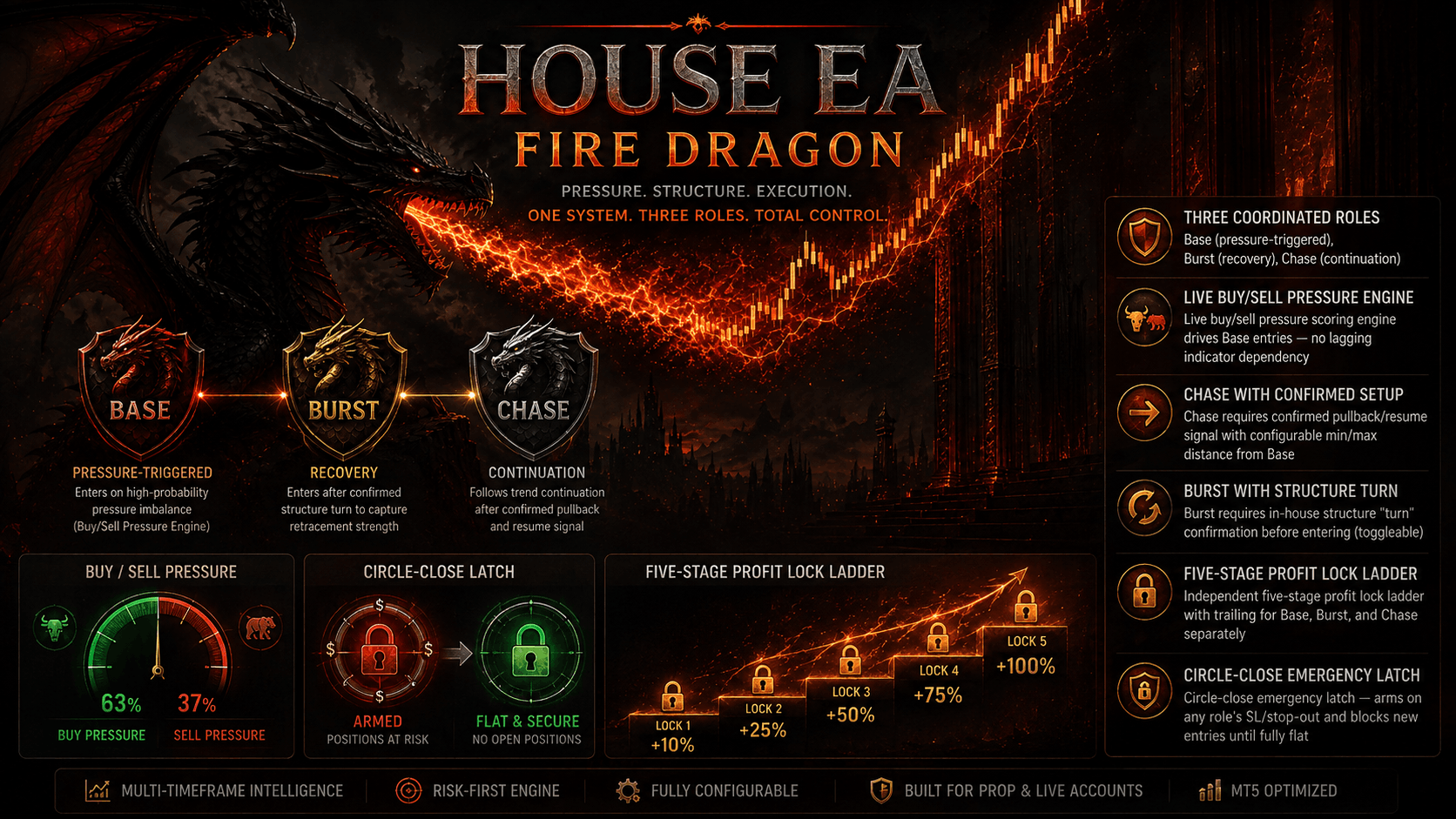
An "Attack and Defend" dual-brain system — Base Striker + Burst Sniper — driven by three independent price brains (pressure, momentum, direction), regime classification, and live USD Index confirmation, with daily profit locking and surplus protection.
RED DRAGON EA — Attack & Defend with USDX Confirmation, pairs a patient Base Striker with an aggressive Burst Sniper, each fed by three independent in-house price brains that separately measure pressure, momentum, and directional bias before either engine is allowed to fire. A regime classifier scans for trending, ranging, compression, expansion, breakout, reversal, and chaotic conditions across a dedicated timeframe, gating entries so Base only trades favorable regimes while Burst can adapt to fast-moving opportunity windows via its Eagle Strategy and Duelist Algorithm. Entries are further filtered through trend (MA cross), volatility (auto-calibrated min/max bands), MFI, and dynamic spread checks — with configurable veto thresholds for strong-trend and strong-MFI conditions. An independent support/resistance zone engine checks runway room before allowing a trade, and a direct broker USD Index (USDX) read adds macro currency-strength confirmation for both Base and Burst, with fail-open safety if USDX data isn't available. Risk management includes a 5-stage progressive profit lock ladder, adaptive trailing, full session/day-of-week scheduling with Friday cutoff, and an economic calendar news filter (low/medium/high impact, configurable before/after windows). A daily profit target lock with its own trailing distance protects gains once hit, and Surplus Protection can drop to reduced lot sizing — or stop trading entirely — after a profit lock breach. A built-in telemetry panel gives a full live readout of all brain states, filters, and regime status. Default-tuned for gold/forex majors, cross-chart execution locking prevents duplicate firing across multiple attached charts, and hedging-account support is required for the Base+Burst position structure.
After purchasing or subscribing, download the EA .ex5 file from your FXSnipers account.
Launch MT5 and make sure you are logged into the trading account you want to use.
Go to File → Open Data Folder → MQL5 → Experts and paste the downloaded .ex5 file into the Experts folder.
Select the recommended trading pair and timeframe for the EA.
Allow WebRequest for listed URL Then click Add new URL and enter: https://fxsnipers.com/ Make sure the URL appears in the allowed WebRequest list.
Drag the EA from Navigator → Expert Advisors onto the chart.
Make sure Allow Algo Trading is enabled in the EA settings and that Algo Trading is turned on in MT5.
Set your preferred lot size, risk level, Stop Loss, Take Profit, recovery settings, and any other available parameters. Beginners should start with the recommended/default settings.
Run the EA on a demo account or use the MT5 Strategy Tester before using it with real funds.
Once activated, allow the EA to manage trades according to its strategy. Regularly review performance, drawdown, and risk.
Estimate potential monthly returns and drawdown margins based on your starting capital.
Free algorithmic calculation tools to manage your position sizing, leverage, and drawdown.
Calculate exact lot sizes based on account balance & risk %.
Calculate exact dollar value per pip for Forex, Gold & Indices.
Project monthly compound returns over 1 to 5 years.
Master key terminology: Drawdown, Profit Factor, Sharpe Ratio.
Everything you need to know about RED DRAGON EA setup, licensing, and trading performance.
Download the complete quantitative guide: Position Sizing Formulas, Prop Firm Drawdown Rules, and MQL5 Parameter Cheat Sheets.