1 / 4
Select companion add-ons to build your bundle
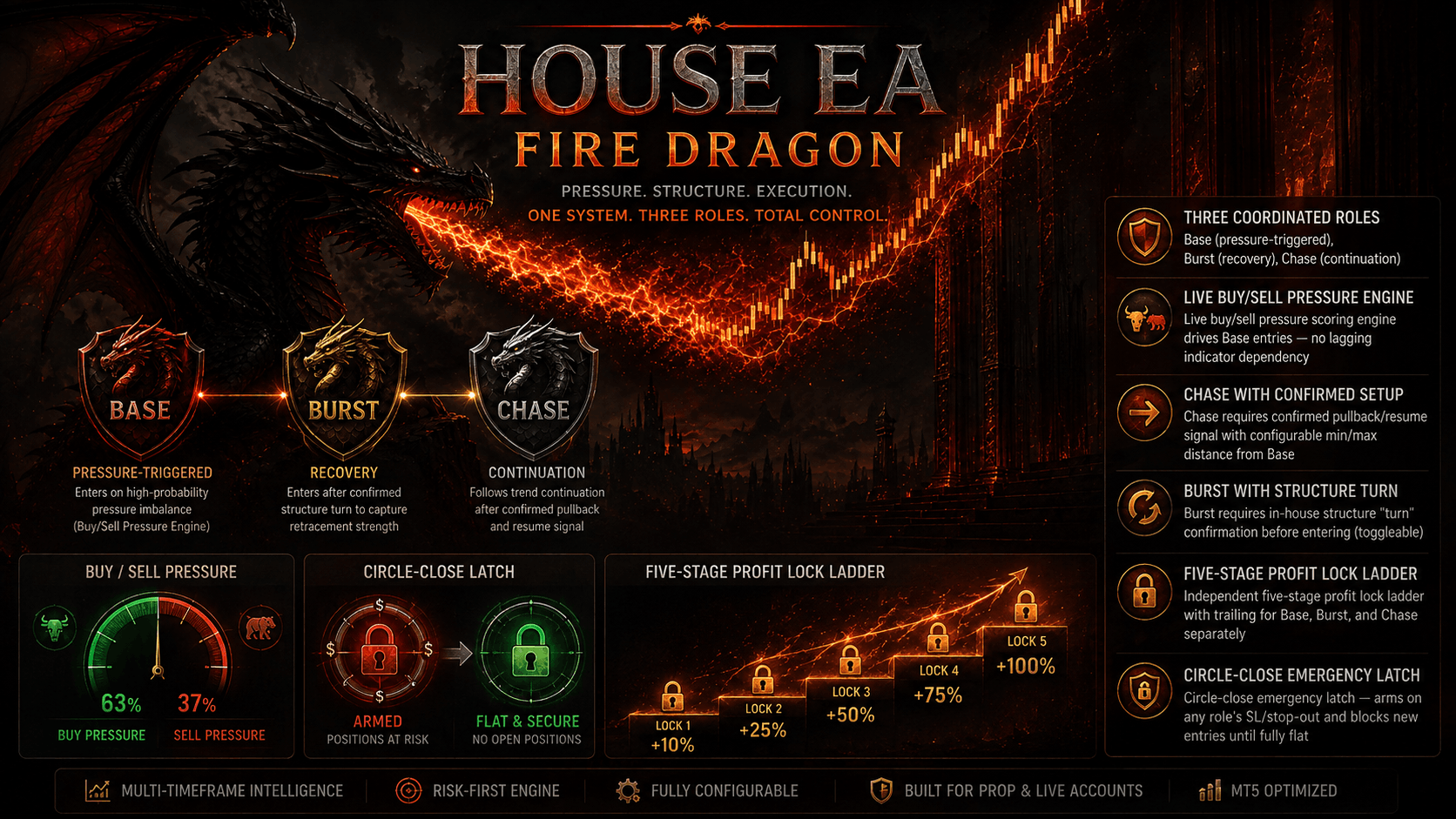
A tick-driven adaptive auction engine that reads live market balance/imbalance in real time — no fixed timeframe, no static thresholds. Deploys three independently-managed forces (Base, Burst, Chase) on failed auctions and accepted breakouts, filtered by a dynamic USD Index conflict veto and structural RR guardrails.
ARMY OF LEGIONS EA — Adaptive Auction Base + Burst + Chase Engine (USDX Confirmation). ARMY OF LEGIONS doesn't read candles — it reads the auction itself. Instead of relying on fixed bar patterns or static pip thresholds, ARMY OF LEGIONS builds a live tick-distribution model on every symbol it trades. It continuously identifies where price is accepted (balance/value zones) versus where it's rejected (failed auctions), and adapts its sensitivity to the current tick behavior rather than a hardcoded number. This makes it symbol- and volatility-agnostic by design — the same engine logic scales naturally whether you run it on a major FX pair, metals, or crypto CFDs. Three independently-owned execution roles: BASE — Enters on confirmed structural events (failed auctions or accepted breaks). Uses a 5-stage profit-lock ladder (trigger/lock pairs) plus a trailing stop once price runs past the final lock stage, so winners are protected incrementally rather than all-or-nothing. BURST — An independent recovery wave that activates specifically on failed-auction rejections, sized and cooled down separately from Base, with its own 5-stage lock ladder and trailing logic. CHASE — An independent continuation wave that only engages on accepted breakouts, and can be configured to require a protected Base position before firing — so it never chases without cover. Each role runs its own lot sizing, stop-loss/take-profit points, cooldown timer, and trigger/lock ladder — they don't share risk logic, so one role misfiring doesn't cascade into the others. USD Index Conflict Veto: Before taking a directional trade, the EA optionally cross-checks live USDX tick force. A trade is only blocked when USDX momentum dominates against the trade direction (configurable dominance ratio) — not merely when it exists — reducing false vetoes during neutral/consolidating dollar conditions. Works on the standard USD-inverse logic for USD-quoted pairs, XAUUSD, and XAGUSD. Structural Risk Guardrails: Minimum reward:risk filter before any entry is accepted Minimum/maximum risk-in-points bounds to reject both noise-tight and abnormally wide stops Minimum runway requirement so trades aren't opened with insufficient room to the next structural level Daily Profit Lock & Circle Management: Configurable daily profit target with its own trailing lock (start distance, step) Optional "surplus mode" to keep trading past the daily target once locked Daily lock can force-close the entire circle of open positions for a clean daily reset Maximum circle position cap and maximum trades/day limiter for exposure control Additional Controls: Trading session windows (broker server time), Friday cutoff, and rollover-window blocking Live telemetry panel (on-chart) and event journal logging for transparency into auction phase, active roles, and USDX status Spread and slippage protection, exact fixed-stop enforcement, hedging-aware wave rollback for incomplete sequences Who it's for: Traders who want an engine that adapts to how the market is trading right now rather than a fixed lookback or bar pattern — and who want Base/recovery/continuation logic kept structurally separate instead of blended into one monolithic entry rule. ⚠️ As with all EAs on this platform: backtest and forward-test on a demo account first. Past performance and strategy logic do not guarantee future results.
After purchasing or subscribing, download the EA .ex5 file from your FXSnipers account.
Launch MT5 and make sure you are logged into the trading account you want to use.
Go to File → Open Data Folder → MQL5 → Experts and paste the downloaded .ex5 file into the Experts folder.
Select the recommended trading pair and timeframe for the EA.
Allow WebRequest for listed URL Then click Add new URL and enter: https://fxsnipers.com/ Make sure the URL appears in the allowed WebRequest list.
Drag the EA from Navigator → Expert Advisors onto the chart.
Make sure Allow Algo Trading is enabled in the EA settings and that Algo Trading is turned on in MT5.
Set your preferred lot size, risk level, Stop Loss, Take Profit, recovery settings, and any other available parameters. Beginners should start with the recommended/default settings.
Run the EA on a demo account or use the MT5 Strategy Tester before using it with real funds.
Once activated, allow the EA to manage trades according to its strategy. Regularly review performance, drawdown, and risk.
Estimate potential monthly returns and drawdown margins based on your starting capital.
Free algorithmic calculation tools to manage your position sizing, leverage, and drawdown.
Calculate exact lot sizes based on account balance & risk %.
Calculate exact dollar value per pip for Forex, Gold & Indices.
Project monthly compound returns over 1 to 5 years.
Master key terminology: Drawdown, Profit Factor, Sharpe Ratio.
Everything you need to know about ARMY OF LEGIONS EA setup, licensing, and trading performance.
Download the complete quantitative guide: Position Sizing Formulas, Prop Firm Drawdown Rules, and MQL5 Parameter Cheat Sheets.